



PA CARES

The PA CARES program will ensure children in the Commonwealth who are eligible for VFC keep access to necessary vaccines without cost sharing, in the event that the Centers for Disease Control and Prevention makes any changes to recommended vaccines and/or vaccine schedules within the VFC program, following advisement of the Advisory Committee on Immunization Practices.

Recent changes to the CDC Immunization Schedule do not impact vaccine access.

However, we encourage all Philadelphia VFC providers to enroll in PA CARES as soon as possible to ensure minimal interruption to your vaccine supply in the event of future changes.

See below for instructions on how to enroll.

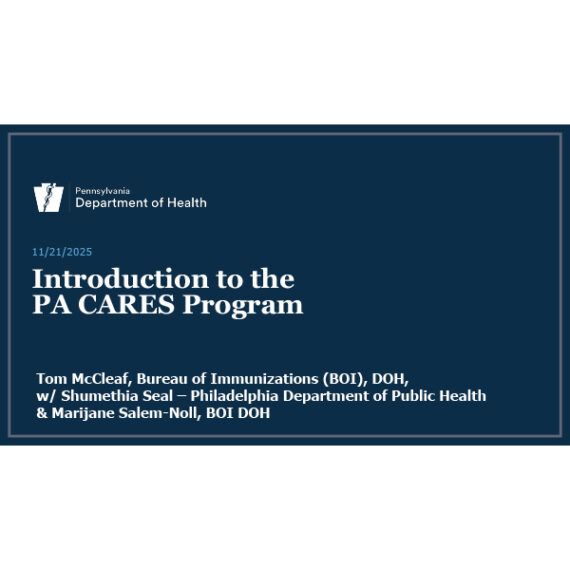
Introduction

Presentation from the Pennsylvania Department of Health

Key Points

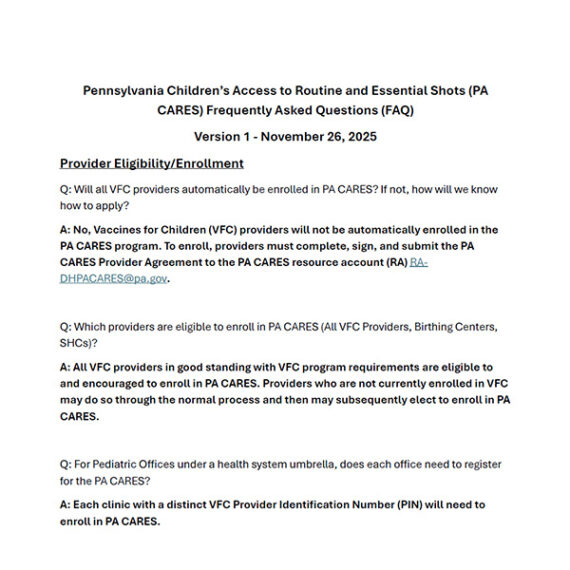
  • The PA CARES program welcomes all providers enrolled in and in good standing with the VFC programs of the Philadelphia Immunization Program.
  • While PA CARES is a state-directed program, VFC providers within Philadelphia will continue to use PhilaVax to record administration of doses.
  • Enrollment is currently open.

Enrollment

All Philadelphia VFC providers are eligible and encouraged to enroll as soon as possible.

calendar icon

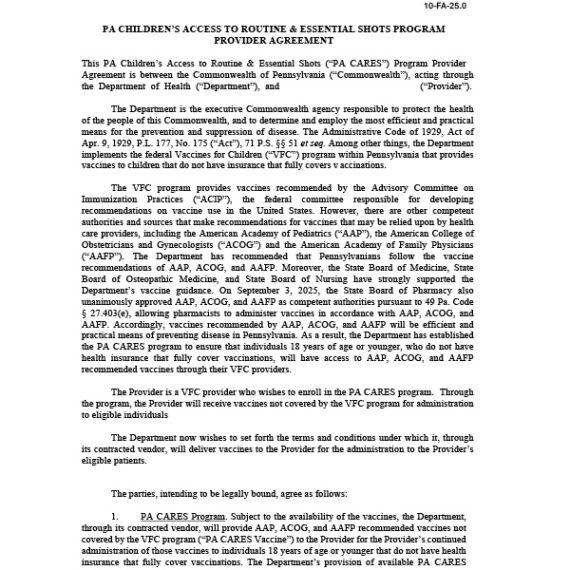
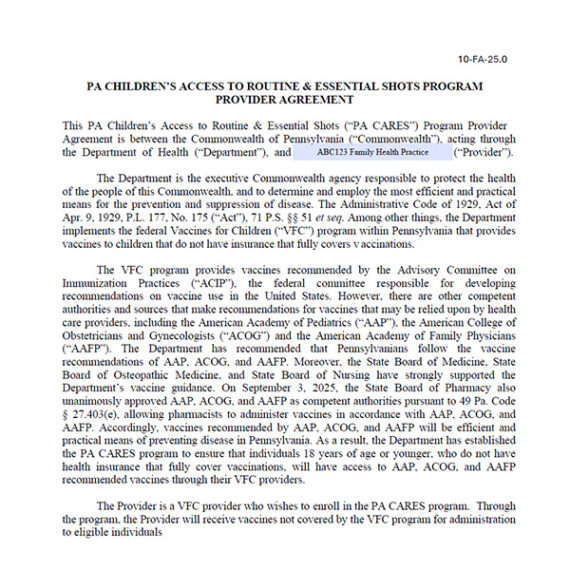
Step 1: Fill out the PA CARES provider agreement form.

Download the PA CARES provider agreement

Fill out the form electronically, or print to fill out by hand.

  • The person signing off on the agreement can be any person with signing authority at your provider location.
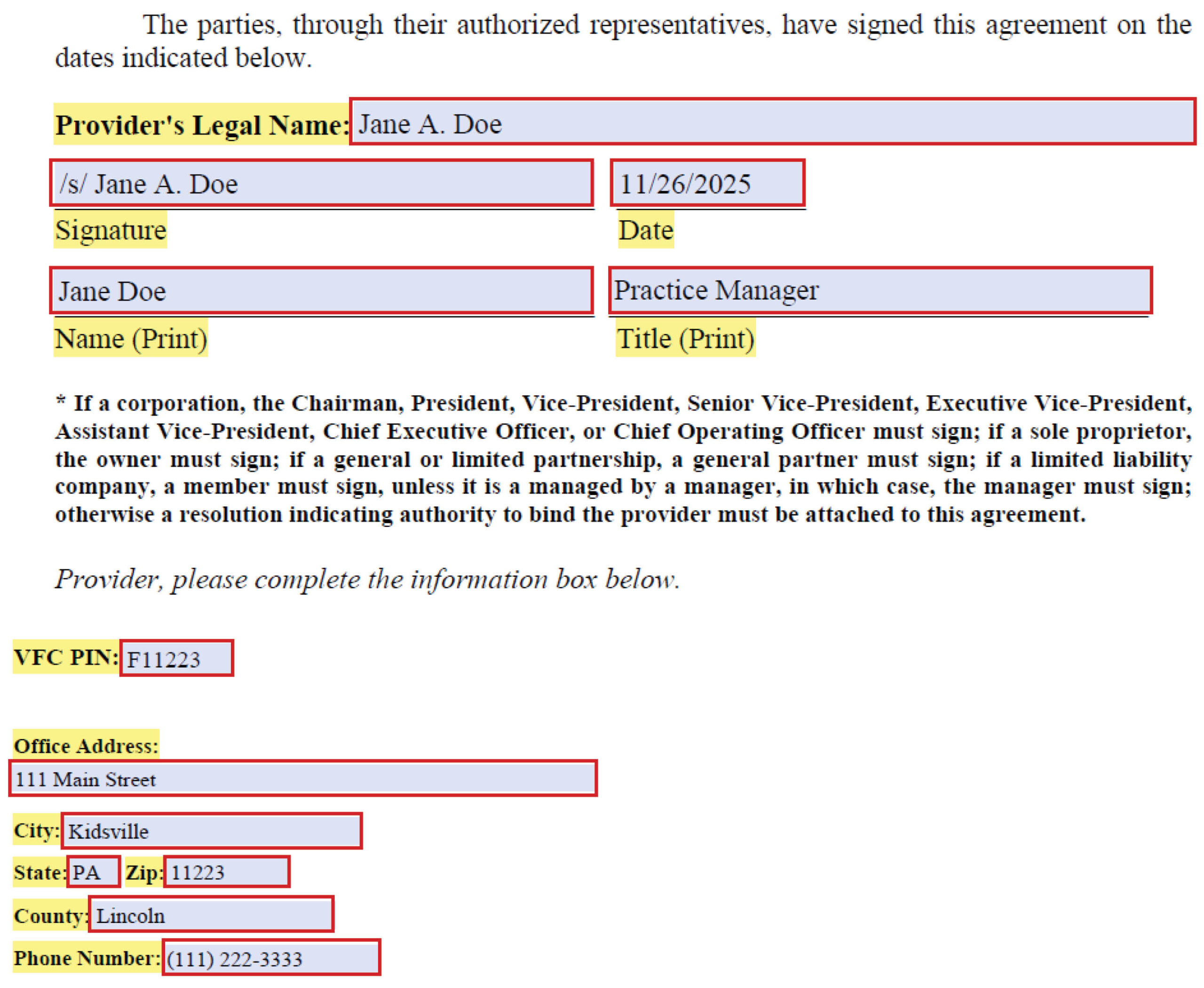
  • Make sure all highlighted fields are completed.
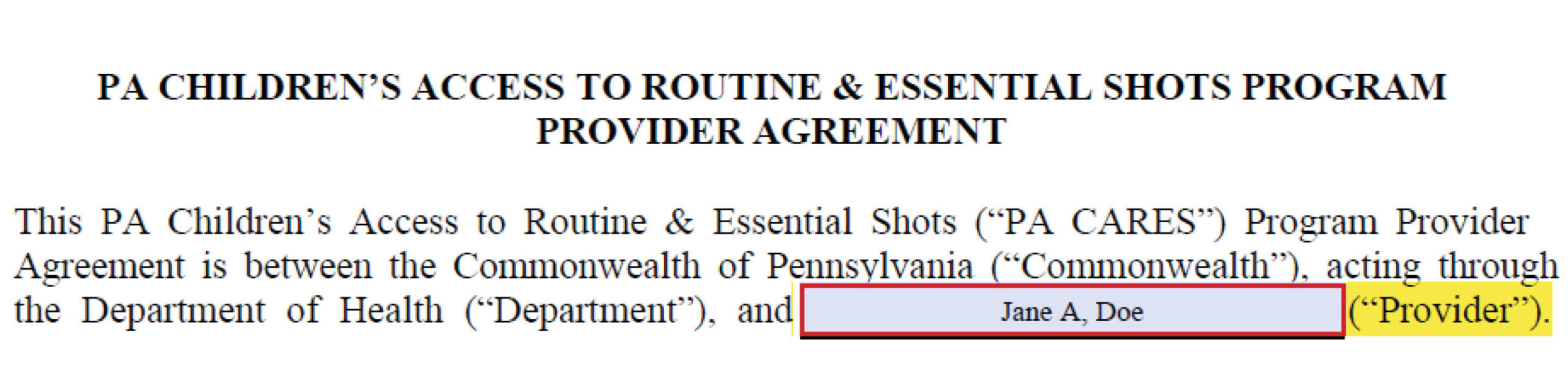
  • All name and signature fields must match.

Page 1:

  • Provider name (must match names on page 9)

Page 9:

  • Provider’s Legal name (must match name below and name on page 1)
  • Signature (see below for electronic signature instructions)
  • Date
  • Name (must match name above and name on page 1)
  • Title
  • VFC pin
  • Office address
  • City
  • State
  • Zip
  • County
  • Phone number

Instructions to fill the signature field electronically

Any of the following methods are acceptable:

  • Sign via the “use a certificate” option in the Adobe PDF.
  • Add your signature using the “add a signature” tool.
  • Type the signature manually, following the note “/s/” (see sample form for reference).
  • Hand-draw your signature using the draw tool.
calendar icon

Step 2: Send the completed agreement to the Philadelphia Immunization Program.

If you completed the agreement electronically:

Save the form and email it to vaccines@phila.gov

Use the subject line “PA CARES Enrollment – [Your Site PIN].”

If you completed the agreement by hand:

Scan the form and email it to vaccines@phila.gov

Use the subject line “PA CARES Enrollment – [Your Site PIN].”


Or, fax the form to 215-238-6948

Please also email vaccines​@phila.gov to let us know you have submitted the agreement via fax with the subject line “PA CARES Enrollment – [Your Site PIN].”

Ordering

PA CARES ordering is not yet open, as there has been no change to VFC vaccine availability.
Once PA CARES ordering opens we will contact all providers.

Ordering

Providers enrolled in PA CARES will be able to place orders for PA CARES funded vaccines through PhilaVax.

PA CARES and Vaccines for Children (VFC) vaccine orders should be placed together in the same order.

Follow the steps below to place an order for PA CARES vaccines. If you have any questions, reach out to dphproviderhelp@phila.gov.

Ordering PA CARES vaccine instructions:

PDF version of PA CARES vaccine ordering instructions.

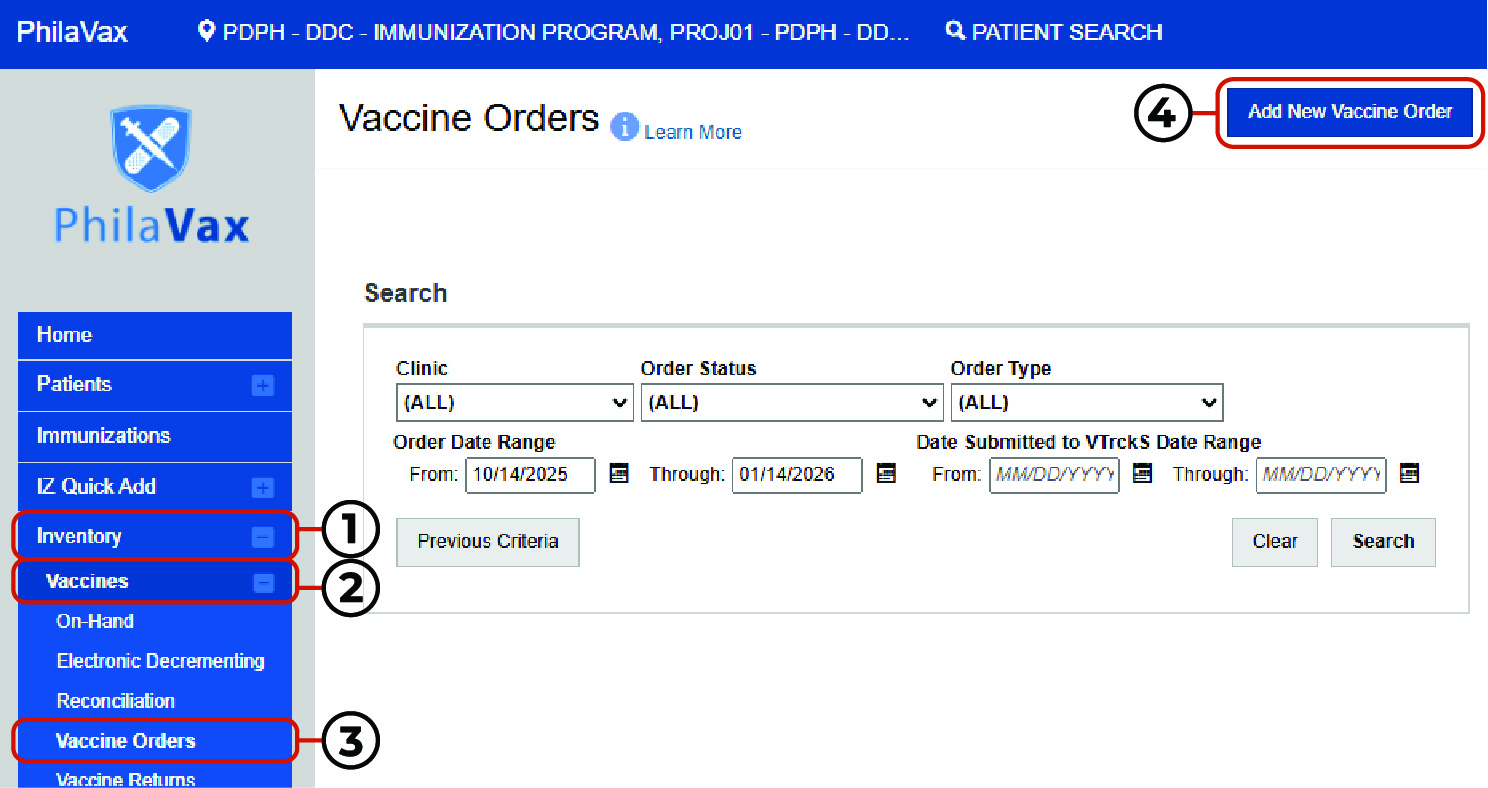
Steps 1-4

  1. Click Inventory.
  2. Click Vaccines.
  3. Click Vaccine Orders.
  4. Click Add New Vaccine Order.
PhilaVax home page, highlights inventory, vaccines, vaccine orders, and add new vaccine order buttons.

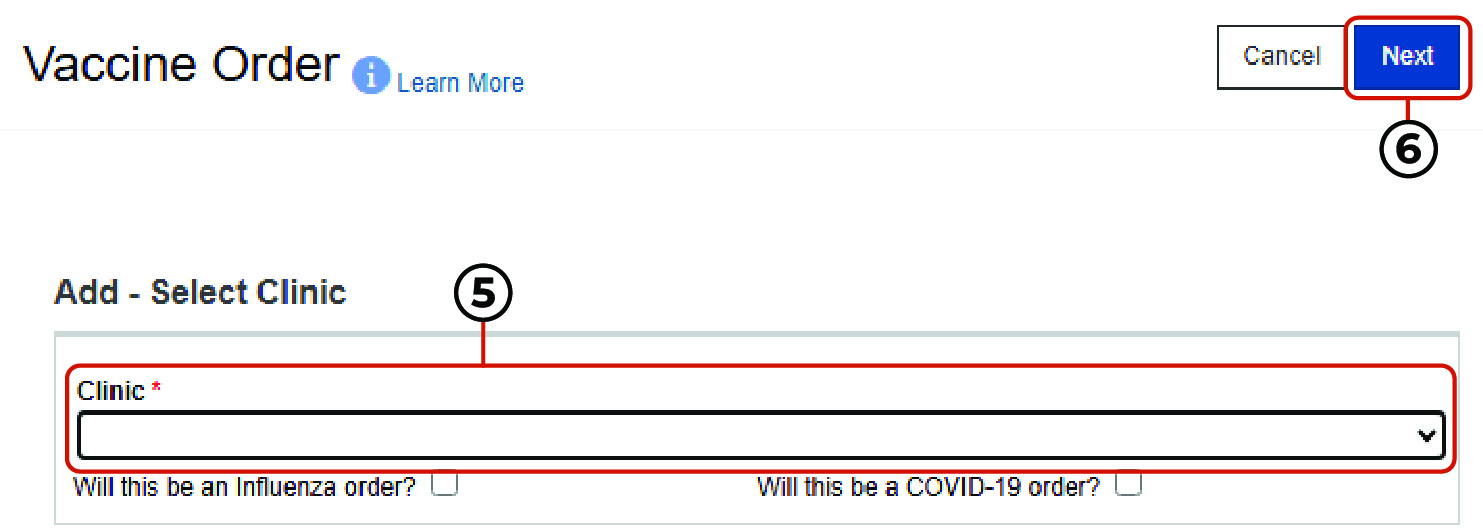
Steps 5-6

  1. Select the Clinic from the drop-down.
  2. Click Next.
PhilaVax vaccine ordering page, highlights select a clinic section and next button.

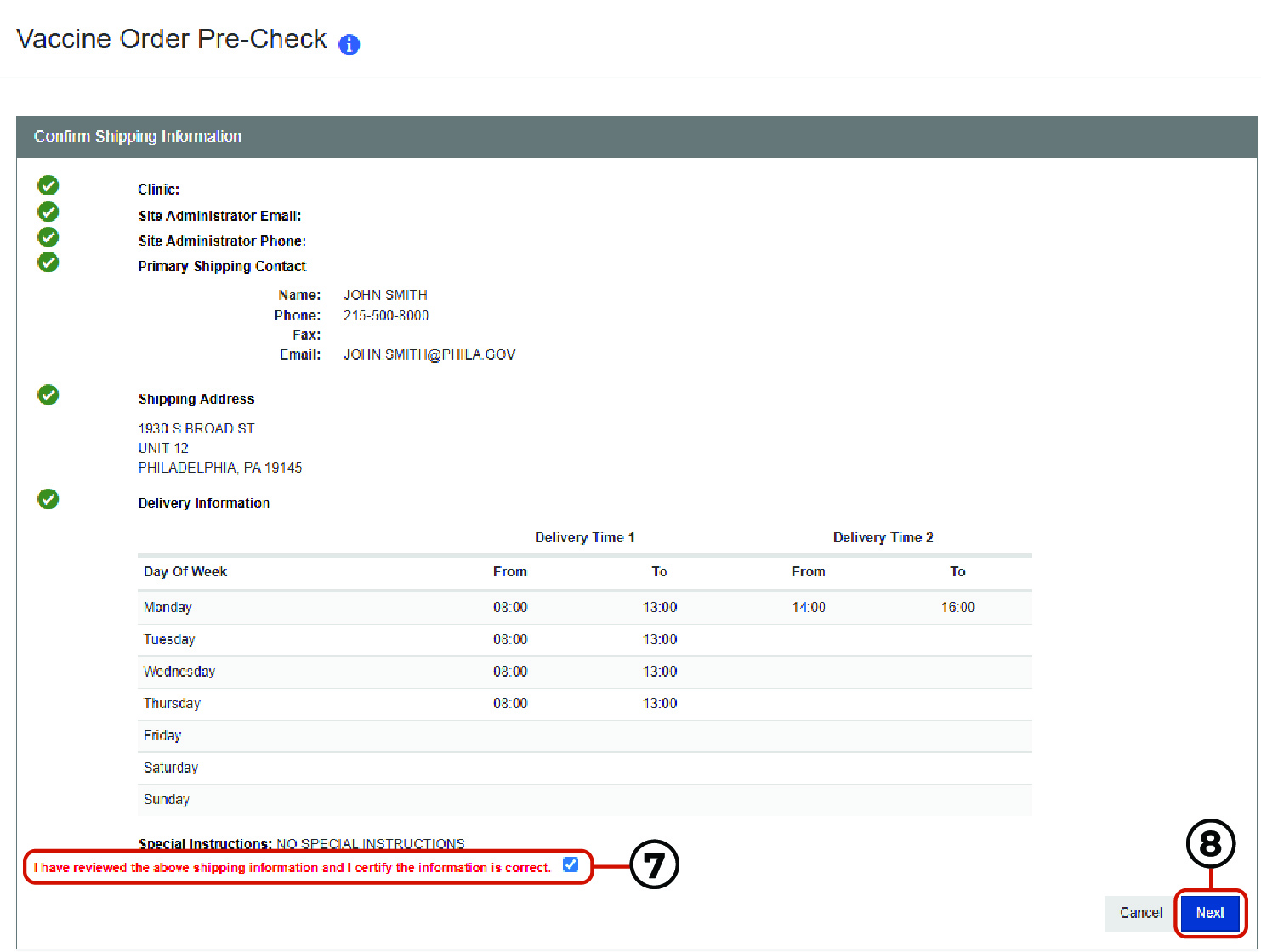
Steps 7-8

  1. Verify that the information on the vaccine order pre-check screen is correct and click the check box next to “I have reviewed the above shipping information and I certify the information is correct.”
  2. Click Next.
PhilaVax confirm shipping information page, highlights

Steps 9-15

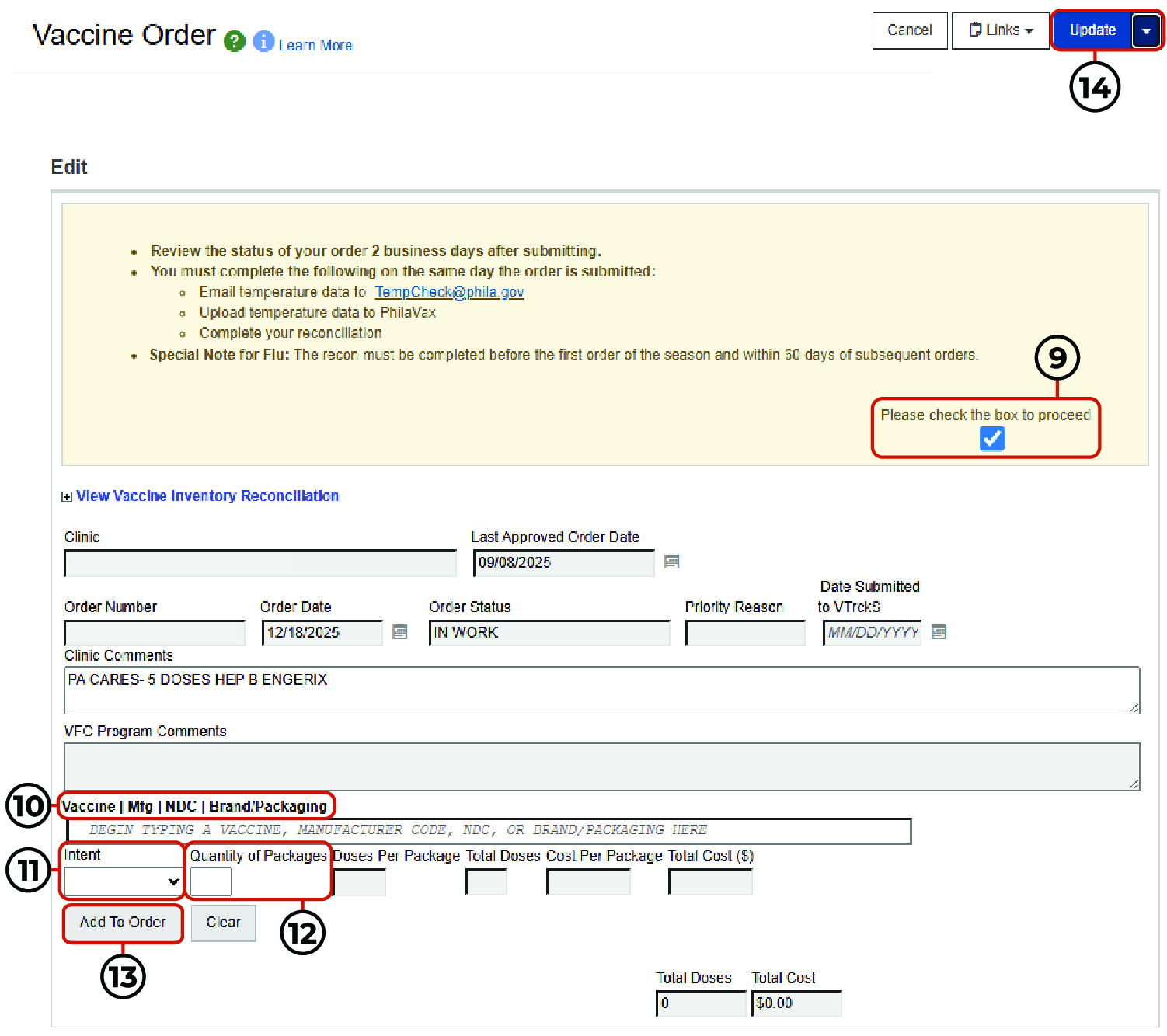
  1. Review the instructions in the yellow field and check the box to proceed.
  2. Type the brand name of the VFC vaccine you need to order in the Vaccine I Mgf I NDC I Brand/Packaging field.
    • Note: Do not add PA CARES vaccine to this field. Add VFC vaccine products only.
  3. Select Pediatric for the Intent.
  4. Input the Quantity of Packages.
  5. Click Add To Order.
  6. Click Update.
  7. To add multiple vaccine products, repeat the steps 10-14 above.
PhilaVax vaccine ordering page, highlights Vaccine I Mgf I NDC I Brand/Packaging, intent, and quantity of packages fields.

Steps 16-17

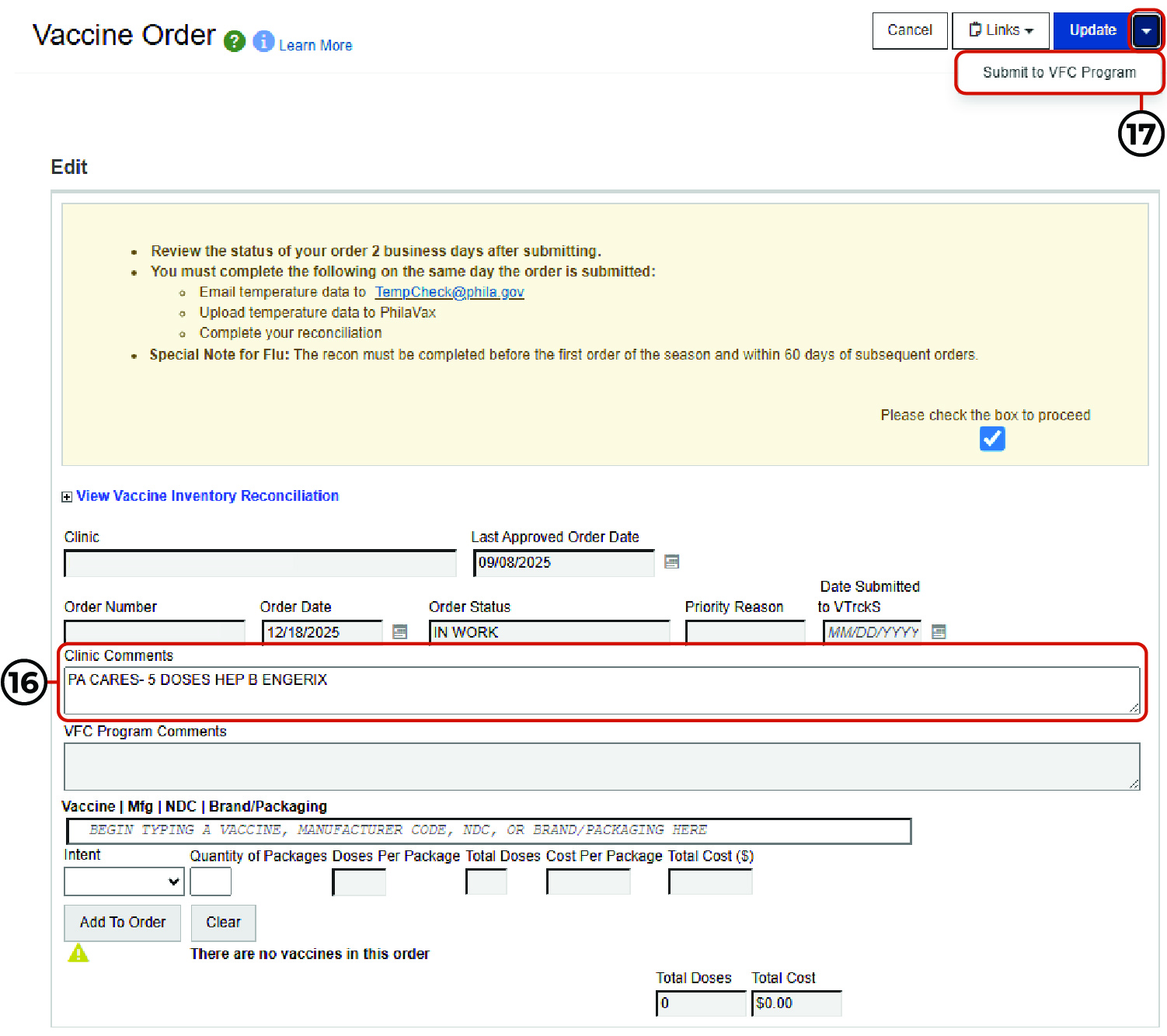
  1. To request PA CARES vaccine, type the below in the clinic comments section:
    1. “PA CARES”
    2. The number of doses requested.
    3. The vaccine name.
    4. The brand name.
    5. Example: “PA CARES- 5 Doses Hep B Engerix”
  2. Click the down arrow next to update, then click Submit to VFC Program.
PhilaVax confirm shipping information page, highlights

Updates

  • As you may be aware, the Advisory Committee on Immunization Practices (ACIP) met last week to vote on several vaccine recommendations. We want to ensure all providers have clear guidance on what these votes mean for VFC program operations.   Although ACIP votes on recommendations,...

  • All Philadelphia providers enrolled in the VFC Program are eligible. What is PA CARES?  The Pennsylvania Children’s Access to Routine and Essential Shots (PA CARES) program is a new state-directed initiative designed to support Vaccines for Children (VFC) providers enrolled in and in good standing...

  • You are invited to attend a town hall webinar hosted by the Pennsylvania and Philadelphia Immunization Programs. The “Introduction to the PA CARES Program” webinar will provide important information about the new Pennsylvania Children’s Access to Routine and Essential Shots (PA CARES) Program. This webinar...